archiPDF
PDF viewer and layout placement inside Archicad: browse multi-page PDFs, search inside them, and drop pages straight into Layouts as images.
No subscription required: download and use for free.
Some of what it can do.
Inside the workflow.
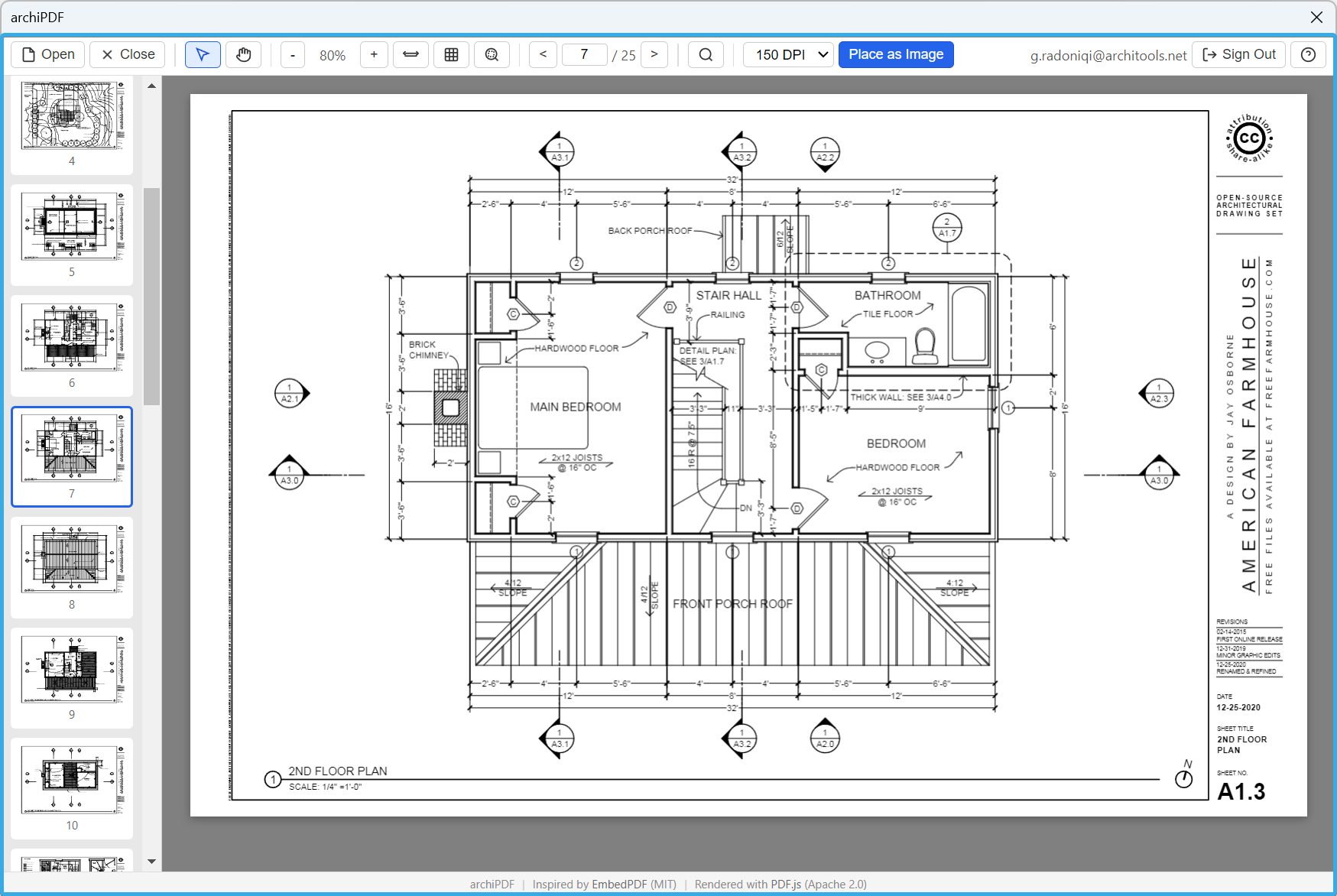
Browse multi-page PDFs in a dedicated Archicad palette: page thumbnails on the left for quick navigation.
Place a PDF page directly into your Archicad Layout as an image without leaving your project.
Select any region of a page to place it precisely into plans, sections, worksheets, or layouts.
Copy a region or the entire page as an image in one click.
To be added soon.
To be added soon.
System Requirements
Try archiTools Core for €61/mo
Includes archiVisora credits, every add-on, every update, priority support.
Only need the Archicad add-ons? archiTools Atelier is €40/mo.
View pricingQuestions, answered.
Can I place PDF pages into Archicad?+
Yes. Select a single page or a range and click Place: each page lands in the active Layout, Plan, Section, or Worksheet as an image you can position and scale.
Can I search inside a PDF?+
Yes. The Find box searches text inside the loaded PDF. Matches highlight and navigation jumps between occurrences: fast spec and code-book lookups.
Can I copy text or images out of the PDF?+
Yes. Select any text or a rectangular region and copy it to paste into Archicad text elements, other applications, or back as an image.
Which Archicad versions are supported?+
Archicad 27, 28, 29, and 30 on Windows 10/11 or macOS 14+.
Is archiPDF free?+
Yes. archiPDF is free since version 1.4.0: no subscription, no trial and no ArchiTools Account add-on needed. Sign in to your free ArchiTools account on this site to download it. If you have an older version installed, update it: older versions still ask for a subscription when you place a page.