
Sun Study·Free
archiSunPathv1.2.2
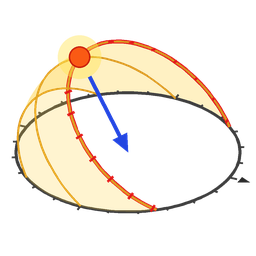
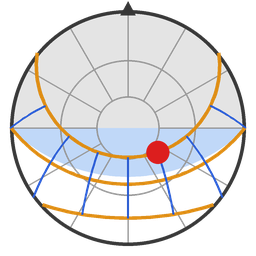
3D sun path diagram that follows the Archicad sun
Customizable sunpath object to use linked to ArchiCAD sun position or set to custom. Good for making sunpath diagrams
Download.gsm · 154 KB
Parametric GDL objects we build for our own projects and share with everyone. Pick your Archicad version, download the library file and add it in the Library Manager.
3D sun path diagram that follows the Archicad sun
Customizable sunpath object to use linked to ArchiCAD sun position or set to custom. Good for making sunpath diagrams
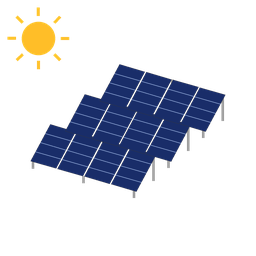
PV Array object for optimal energy related to your project location
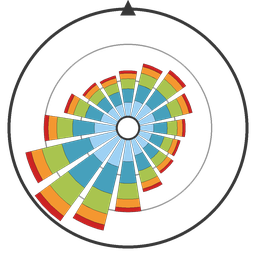
archiWindrose
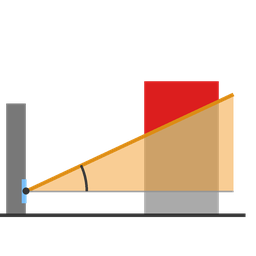
BRE Dailight test in plan section or 3D
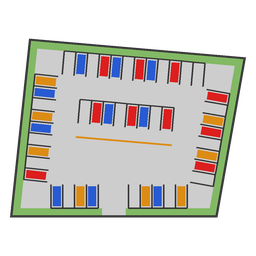
archiParkingLayout
archiParkingLayout is a feasibility tool for surface parking. Place it, drag its corners onto your site, and it lays out the parking the way a surface car park is usually built. Change the stall angle, the roads or the entrances and the whole layout redraws, with the stall count in the info block. Stalls at any common angle: 90°, 75°, 60°, 45°, 30°, parallel, or a custom angle, with aisle widths and traffic that follow the angle. Best fit: the rows turn and shift to the layout with the most stalls, after every change of the site.
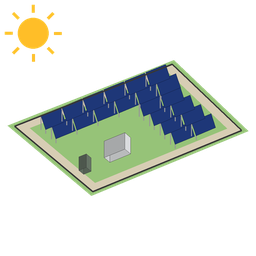
Solar park - quick analysis of solar energy gains from solar PV.
archiSolarPark is a feasibility tool for the first hour of a solar project. Draw the plot, and the object fills it the way a ground-mounted park is usually built. Change the module, the mounting, the roads or the battery and the whole layout redraws, with the numbers in the info block. Linked to the project: it reads the latitude, longitude and north of your Archicad project. From those it sets the tilt, spaces the rows so they don't shade each other, and turns them to the sun.
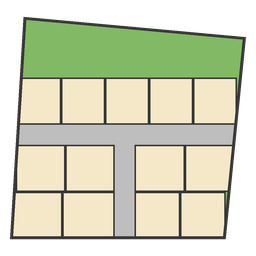
Draw a site and it divides itself into plots
Draw a site and it divides itself into plots. Ring roads follow the shape of the site with a row of plots all round the boundary, a new ring after every two rows, entrance roads from outside, cross roads between the rings, and zones kept free. Plot, road and open-space areas follow every change.
Download the library .lcf for your Archicad version, or a single object's .gsm from its row. A file saved by a newer Archicad does not open in an older one.
In Archicad: File › Libraries and Objects › Library Manager › Add, then select the .lcf file — or the folder holding the .gsm files you downloaded.
Use the library file or the single objects, not both: the same object twice is a duplicate to Archicad. To update, replace the file and run Reload Libraries; placed objects keep working.
Want an object we don't have yet, or hit a problem with one? Tell us. Signed-in requests reach us directly and we usually reply within a day — and every object's row has its own report link that fills in which object you mean.